For shift managers
Run your team's schedule without the spreadsheet chaos
Build shifts by location, keep workers aligned, and approve hours from the web or your phone. One schedule, one team.
View pricing · 14-day free trial
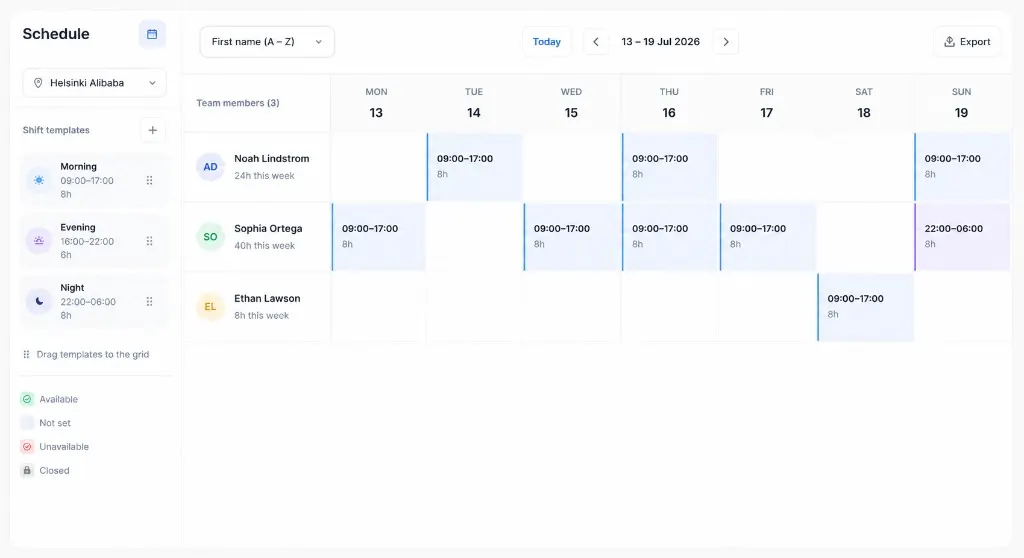
Per location
Week and month schedules without spreadsheet tabs
14 days
Free trial on every new organization
Approve in bulk
Monthly summaries ready for payroll export
Web + mobile
Same tools when you are at a desk or on site
Industries
Built for teams you run day to day
Restaurants, retail, warehouses, hotels, and any operation that plans by the week and schedules by location.
Product
Everything you need to run shifts
Plan the week, manage your roster, approve hours, and stay on top of changes — on web or mobile.
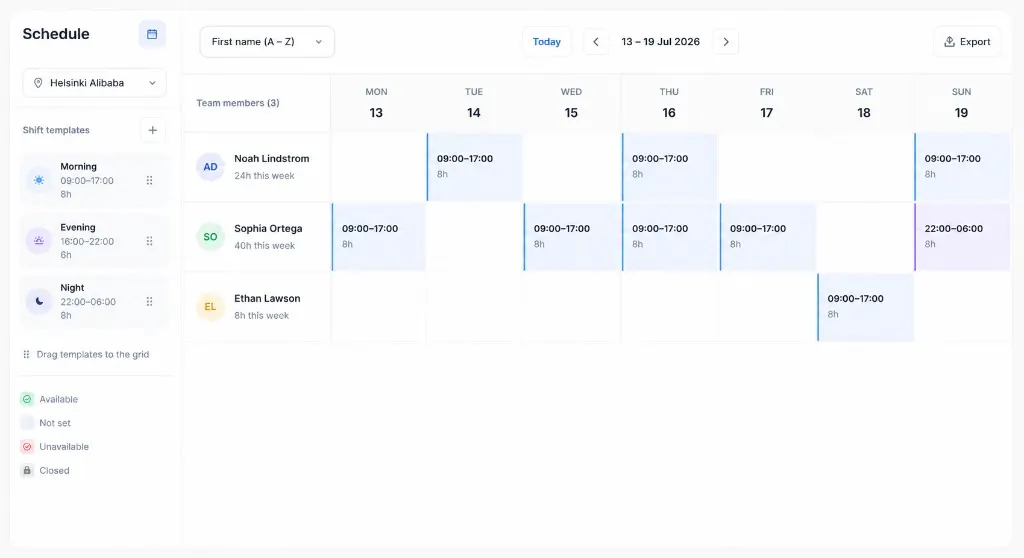
Build the week in one grid
Plan shifts by location with templates, availability, and hour totals that stay visible as you edit.
Drag shift templates
Drop morning, evening, or night blocks onto the week grid.
See hours per person
Weekly totals update as you assign shifts.
One view per site
Switch locations without losing your team roster.
FAQ
Questions we hear a lot
Owners and managers who schedule teams across one or more locations, plus workers who need their week on their phone. Owners and managers can use the web dashboard, the mobile app, or both. Workers usually stick to the app.
That's the idea. You build shifts in Dupexi instead of emailing a sheet around. When something changes, your team gets a notification instead of you chasing replies. Hours tie back to the shift, so monthly totals and exports are there when payroll needs them.
Yes, on iOS or Android. Workers see upcoming shifts, get a push when plans change, and can log time after a shift.
Yes. Scheduling, team changes, and work-log review are in the app, not just on the web. Most teams plan on a laptop and handle day-of changes from a phone.
No. Workers use the mobile app for schedules and time logs. Owners and managers pick web, mobile, or both.
Yes. Workers and schedules are organized by location. Your worker subscription sets how many active workers you can have; locations are included automatically (1 per 8 workers, minimum 8 workers). See Pricing for details.
Per active worker, billed monthly through Stripe. Location capacity is derived from your worker count. Current pricing is on the Pricing page. Eligible new orgs can start with a 14-day trial.
Eligible new organizations can trial certain plans. Check Pricing for what's available now, or sign in if your team is already set up.
Email support@dupexi.com from the address on your account. To delete an account, talk to your organization owner first. Details are in our Privacy Policy.
Start your next schedule in Dupexi
Create an account on the web, or install the app for iOS and Android.